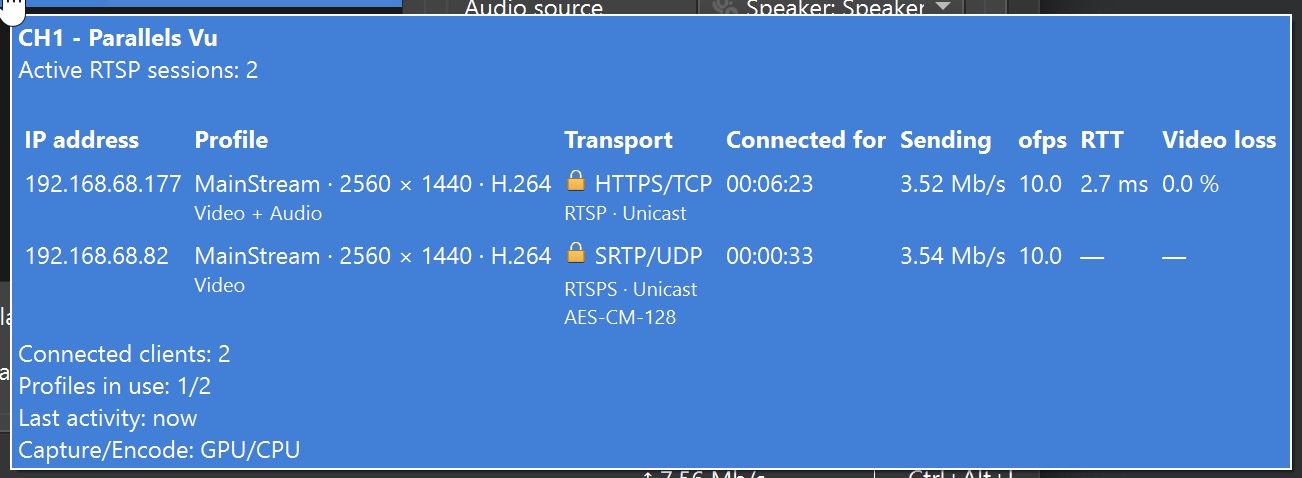

A control-room desktop or point-of-sale screen may stream to a recorder for an entire shift. ITVDesk Pro 11.3.1 supports live SRTP key rotation, so a compatible video management system (VMS) or network video recorder (NVR) can switch to a fresh key without reconnecting. This limits how much of a long-running stream is protected by any one key.
How live SRTP key rotation protects a long-running stream
ITVDesk Pro turns a computer screen or webcam into a virtual ONVIF camera that you can add to your existing VMS or NVR. RTSPS protects the connection used to set up and control the stream. SRTP protects the audio and video packets between ITVDesk and the recorder.
When both ends support live key rotation, the sender and receiver switch to the new key while the stream is active. An exposed earlier key does not decrypt packets encrypted under an independent new key. Rotation does not undo earlier exposure, and it does not replace camera authentication or control who can view recordings in your VMS.
For a closer look at what each protocol protects, see our guide to secure video streaming for VMS and NVR systems.
Set up encrypted streaming in Milestone XProtect
We tested encrypted live video in Milestone XProtect using SRTP over RTSPS with UDP unicast and multicast. XProtect requests the secure stream address through ONVIF Media2. These tests cover encrypted transport; verify live key rotation separately with the driver and version you plan to deploy.
- Install ITVDesk Pro 11.3.1 or later and enable the RTSPS service in ITVDesk.
- In XProtect Management Client, open the camera's video stream settings. Select SRTP/RTSPS/UDP for unicast, or the secure UDP multicast option if your driver and network support it.
- If the camera should accept only encrypted streams, turn on Require encrypted streaming in the ITVDesk camera settings.

For driver-specific transport options, see Milestone's ONVIF driver documentation for SRTP.
SRTP/RTSPS/UDP: unicast and multicast
ITVDesk Pro supports encrypted streaming over UDP in both unicast and IPv4 multicast modes with compatible receivers. RTSPS protects stream setup and control, and SRTP encrypts the audio and video packets sent over UDP.
- Unicast (SRTP/RTSPS/UDP): ITVDesk sends a separate encrypted feed to each receiver. Use this when a single VMS or NVR records the source or when the network does not support multicast.
- Multicast (SRTP/RTSPS/UDP multicast): Multiple compatible receivers can join the same encrypted feed. This can reduce outgoing traffic from the ITVDesk computer when several receivers need the same video. The network and each receiver must support multicast.
Test the chosen mode on your actual network. Selecting a secure transport does not by itself confirm live key rotation support.
What to verify in your VMS or NVR pilot
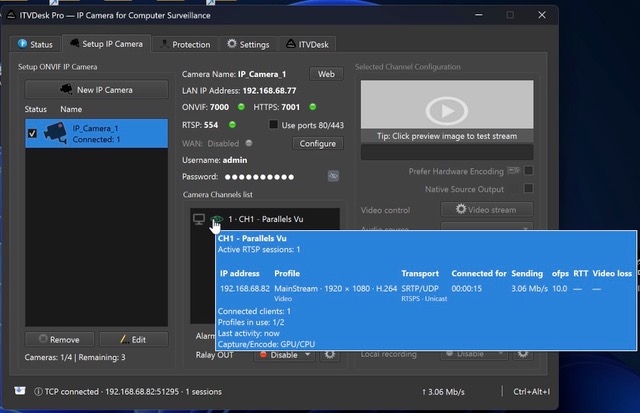
- Confirm the transport. Check that the recorder actually negotiates SRTP. A working live view or an RTSPS address alone does not confirm that media packets are encrypted.
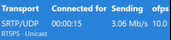
ITVDesk connection details showing SRTP/UDP and RTSPS unicast on an active stream. - Check recording as well as live view. Use the actual desktop, application window, or webcam you plan to deploy. Record a representative session and play it back in the recorder.
- Verify rotation separately. If rotation is required, confirm through the receiver's diagnostics or vendor-supported test procedure that the key changed and that the stream stayed connected across the change.
Try it with the recorder you already use
Start with one workstation and your existing VMS or NVR. Validate encrypted live video, playback, and key rotation where supported before rolling out to other screens.
Start your free ITVDesk Pro trial or explore ITVDesk Pro security features.
Full transport screenshots
These full-window examples show where to select and verify the encrypted unicast transport. Select an image to open it at its original size.
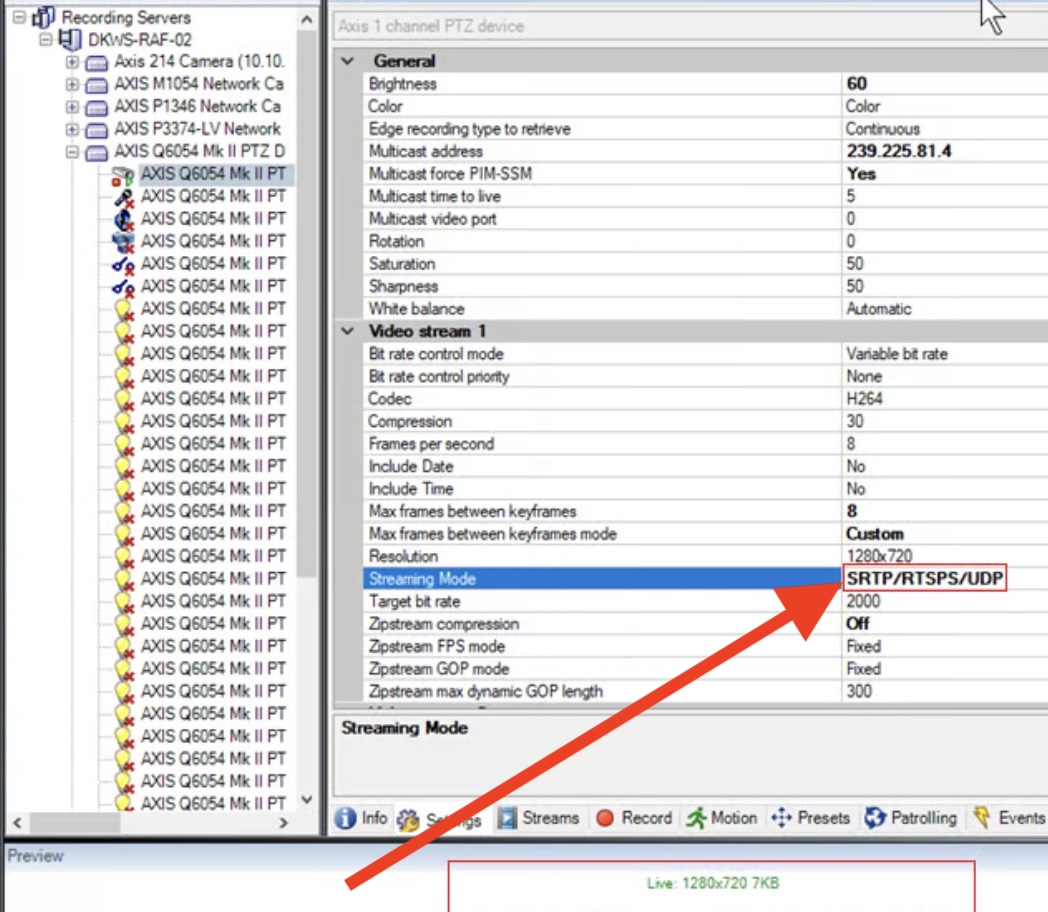
One channel, two encrypted transports at the same time